MilWin Withdrawal Completed but JazzCash or Easypaisa Balance Not Received
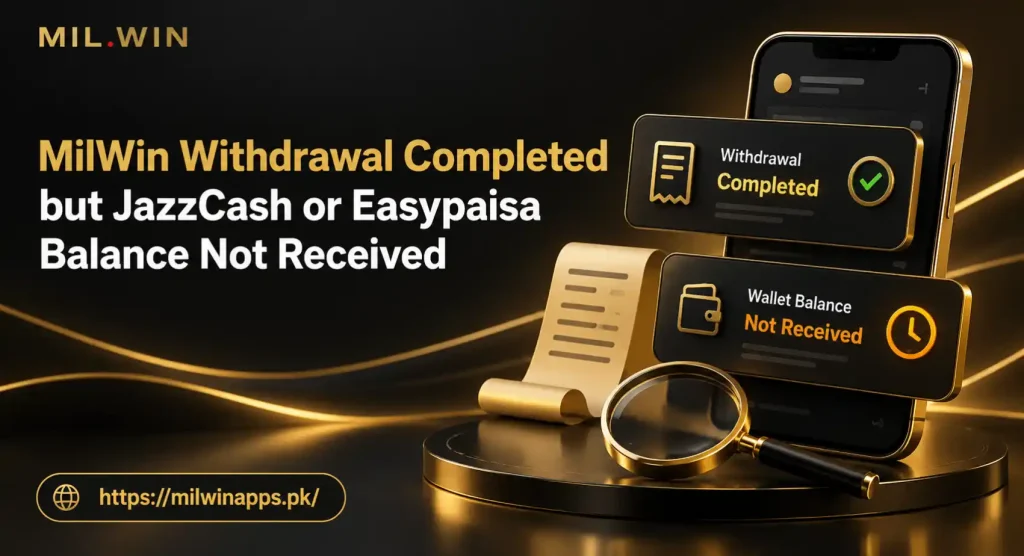
A completed withdrawal normally suggests that MilWin has finished processing the request. It does not always mean the amount is already visible in the receiving JazzCash or Easypaisa wallet. The transfer may still be moving through the payment channel, the receiver’s account may have a restriction, or the submitted wallet number may need checking. Do not immediately submit another withdrawal. A second request does not repair the first transfer and can make the account history harder to understand. First, confirm where the original payment went, save its details, and check the receiving wallet independently. This problem is different from a MilWin withdrawal pending. A pending request is still being processed inside the account. Here, the withdrawal history already says Completed, but the external wallet has not reflected the amount.
Quick Checks Before Contacting Support
Start with these checks:
- Open the withdrawal record and confirm that its status really says Completed or Successful.
- Note the withdrawal amount, submission time, completion time and order ID.
- Check which payment method was selected: JazzCash or Easypaisa.
- Compare the complete receiver number with your active wallet number.
- Open the wallet app directly and review transaction history instead of relying only on an SMS.
- Check whether the wallet is active, verified and able to receive funds.
- Look for a transaction reference, receipt or transfer ID in the MilWin record.
- Do not cancel, repeat or edit the completed order.
These steps help establish whether the issue is an app display delay, a payment-channel delay, or incorrect receiver details.
What Does “Withdrawal Completed” Mean on MilWin?
Withdrawal statuses describe different stages of an order. Their exact wording can change between app versions, so read the status together with the transaction details.
| Withdrawal status | Likely meaning | What to do |
| Submitted | The request has been created | Keep the order ID and wait for its next update |
| Pending or Processing | The request is still under review or processing | Do not submit a duplicate request |
| Rejected or Failed | The transfer was not approved or could not be processed | Read the reason and check whether funds returned to the game wallet |
| Completed or Successful | MilWin has marked its side of the request as processed | Check the receiving wallet and obtain the transfer reference |
“Completed” is important evidence, but it is not a substitute for a credit entry in JazzCash or Easypaisa. The receiver’s transaction history remains the best place to confirm whether money actually arrived.
Why Is the Money Missing After a Completed Withdrawal?
1. The Receiving Wallet Has Not Refreshed
Wallet apps can occasionally show an old balance because the session has not refreshed. Weak internet, background restrictions or cached app data may delay what appears on the home screen.
Close the wallet app, reconnect to a stable network and sign in again through its normal process. Review transaction history as well as the displayed balance. Avoid repeatedly reinstalling the wallet app if you do not have the correct login and registered SIM available.
2. You Are Checking the SMS Instead of Transaction History
An SMS notification can arrive late or may not appear at all. Its absence does not prove that the payment failed. Likewise, an SMS claiming a transfer was received is not enough if the wallet history shows no matching credit.
Check the balance and incoming-transactions section inside the official JazzCash or Easypaisa app. If you use USSD or another authorised account-access method, check through that method as well. Never follow a payment link sent by an unknown person.
3. The Wrong JazzCash or Easypaisa Number Was Saved
A single incorrect digit can direct a transfer to the wrong number or cause it to fail later in the payment chain. Open the completed MilWin withdrawal and compare the receiver number digit by digit with the wallet you control.
Also check whether the app masks some digits. If the full number is not visible, ask support to confirm the receiver associated with the order. Do not post the complete phone number publicly or send it to an unofficial social-media account.
4. The Selected Payment Method Does Not Match the Wallet
The same mobile number may not be active on both payment services. A user can accidentally select Easypaisa while expecting the amount in JazzCash, or select JazzCash while checking an Easypaisa account.
Read the payment-method field in the completed order. Then check that exact wallet. The logo, method name and receiver number should all match the destination you intended to use.
5. The Receiver Account Is Inactive, Unverified or Restricted
A wallet may be unable to receive certain payments if the account is inactive, restricted or awaiting verification. Account-level and transaction limits may also affect incoming transfers. These conditions belong to the payment provider and may not be visible inside MilWin.
Log in to the wallet and look for verification, account-status or limit notifications. If the account itself shows a restriction, contact the wallet provider through its recognised support option. Do not send identity documents to a gaming group, agent or unknown WhatsApp number.
6. The Payment Channel Is Still Updating
The MilWin order and the external wallet are separate systems. The first can mark an order completed before the receiver’s ledger finishes updating. Network interruptions, reconciliation checks or service congestion can create a gap between these two records.
There is no reliable universal waiting time for every transfer. Use any estimated processing period shown in the transaction details or the current withdrawal rules. If no estimate is displayed, ask support about the specific order rather than accepting a random time quoted on an unofficial website.
7. The Transaction Was Returned or Reversed
Sometimes an attempted transfer cannot be credited and is later returned. If that happens, the original order may need manual reconciliation before the amount appears again in the game wallet.
Check both places:
- MilWin wallet and withdrawal history
- JazzCash or Easypaisa incoming and reversed transactions
If neither side shows the money, ask MilWin support whether the payment was returned, reversed or assigned a traceable reference.
8. The App Is Showing an Old Status
An outdated session can display a completed label without loading the newest transaction data. Reopen the MilWin app using a stable connection and check the wallet history again. If the app is behaving abnormally, compare the same account through any recognised access method provided by the platform.
Do not install a modified APK to solve a payment issue. It may expose login information without changing the server-side withdrawal record.
Step-by-Step Fix for a Missing JazzCash or Easypaisa Withdrawal
Step 1: Confirm the Correct Order
Open Wallet, Withdrawal Record or Transaction History, depending on the labels in your app version. Select the exact order that is missing.
Record the following:
- Withdrawal order ID
- Amount requested
- Payment method
- Masked receiver number
- Submission date and time
- Completion date and time
- Current status
- Any transaction or payment reference
If you made several withdrawals of the same amount, use the order ID and timestamp to avoid reporting the wrong transaction.
Step 2: Check Whether the Game Wallet Was Debited
Confirm that the withdrawal amount actually left your withdrawable balance. If the order is marked completed but the amount was never deducted, the display may be inconsistent. Take screenshots before refreshing or updating the app.
If the amount was deducted, continue tracing the external payment. Do not add more money to the account in an attempt to release the withdrawal.
Step 3: Verify the Destination
Compare the saved receiver details with your wallet:
- Is the number correct?
- Is the selected service correct?
- Is the SIM active and under your control?
- Can you sign in to the receiving wallet?
- Is the wallet able to receive payments?
If the receiver number is incorrect, tell support immediately. Do not claim that the number is yours if it belongs to someone else.
Step 4: Inspect the Wallet Ledger
Open JazzCash or Easypaisa and review the full transaction list around the completion time. Look for:
- An incoming payment matching the withdrawal amount
- A credit recorded under a different sender or channel name
- A reversed or failed payment entry
- A notification about account limits or verification
- A balance change without an SMS alert
Take a screenshot showing the relevant period, but hide unrelated balances, phone numbers and personal transactions before sharing it.
Step 5: Refresh Safely
Restart the app and use a stable mobile data or Wi-Fi connection. Make sure the phone’s date and time are set automatically. An incorrect device time can make recent records appear out of order.
Avoid clearing all app data unless you know your password and still control the registered SIM. Clearing data will not force a missing payment to arrive.
Step 6: Look for a Transfer Reference
A completed payment should ideally have an order, payout, or transaction reference. Copy it exactly. The reference helps distinguish a processed transfer from an internal status update.
If no reference is visible, ask:
Please provide the payment reference or trace ID for this completed withdrawal so I can verify it with the receiving wallet.
Do not accept a newly typed number as proof unless it can be linked to your exact order and checked through an appropriate support channel.
Step 7: Contact MilWin Support Once
Use the support or help option available inside the same MilWin account. Send one complete request instead of opening multiple tickets. Repeated tickets can split the evidence and slow down a clear review.
Ask support to confirm:
- The exact receiver number used
- The payment service selected
- The amount sent
- The payment reference or trace ID
- Whether the transfer was credited, reversed or returned
- Whether manual reconciliation is required
Step 8: Contact the Wallet Provider if a Valid Reference Exists
If MilWin supplies a traceable payment reference but the wallet still has no credit, contact JazzCash or Easypaisa through the support method shown in its official app or website. Provide the reference, expected amount and approximate date.
The wallet provider does not need your MilWin password, withdrawal password or OTP. Anyone requesting these credentials should be treated as suspicious.
MilWin Completed Withdrawal Troubleshooting Table
| What you find | Likely issue | Next action |
| Completed status, correct number, no credit | Payment-channel or reconciliation delay | Request the payment reference from MilWin |
| Completed status, wrong receiver number | Incorrect saved payment details | Contact MilWin support immediately |
| Credit appears in history but balance looks unchanged | Wallet display or another outgoing transaction | Recheck the wallet ledger and refresh the app |
| Wallet shows account restriction | Receiver-account issue | Contact the wallet provider |
| No payment reference is available | Internal status may need verification | Ask MilWin to trace the order |
| Reference exists but wallet cannot find it | Sender-side trace or reference problem | Return to MilWin with the wallet provider’s response |
| Amount returned to MilWin wallet | Transfer was likely reversed | Review withdrawal details before trying again |
| Several identical requests exist | Possible duplicate-order confusion | Match each order ID, amount and timestamp |
Evidence to Collect Before Reporting the Problem
A useful support request should contain facts that can be matched to system records. Prepare:
- Your MilWin user ID or registered number in masked form.
- The withdrawal order ID.
- The exact amount.
- The selected payment method.
- The receiver number with only the necessary digits visible.
- Submission and completion timestamps.
- A screenshot of the completed withdrawal record.
- A screenshot of the receiving wallet’s relevant transaction period.
- Any error, reversal message or wallet restriction.
- The payment reference, if available.
Never include your login password, withdrawal PIN, OTP, full identity document or wallet PIN in a normal support message.
Support Message Template
You can adapt this message:
Hello, my MilWin withdrawal is marked Completed, but the amount has not appeared in my JazzCash/Easypaisa wallet. The order ID is [ORDER ID], the amount is [AMOUNT], and the completion time shown is [DATE AND TIME]. The selected method is [JAZZCASH/EASYPAISA], and I have checked the receiver number and wallet transaction history. Please confirm the receiver details and provide the payment reference or trace ID. Also confirm whether the transfer was credited, returned or requires reconciliation. I have attached the completed order screenshot and the relevant wallet-history screenshot.
Keep the ticket number or a screenshot of the conversation. If you follow up, reply in the same support thread where possible.
Should You Request Another Withdrawal?
Not until the first payment is accounted for.
A second request can create two similar transactions, reduce the remaining balance and make later reconciliation confusing. Request another withdrawal only after one of these outcomes is clear:
- The first amount has arrived.
- The first transfer has failed and the money has returned to the MilWin APK wallet.
- Recognised support has confirmed that the original order will not be paid and has provided the next action.
Never make a new deposit because someone says it is required to unlock a completed withdrawal. Verify any fee or rule inside the account itself. Requests to pay a personal wallet, share an OTP or install a screen-sharing app are major warning signs.
How to Reduce Future Withdrawal Problems
Check Payment Details Before Confirming
Read the receiver number twice and confirm the selected wallet. If the app permits payment-detail changes, avoid changing them immediately before a withdrawal unless necessary.
Use a Wallet You Control
Using your own active wallet makes verification and payment tracing easier. A relative’s or agent’s wallet introduces ownership and access problems if a transfer goes missing.
Keep One Record for Every Withdrawal
Save the order ID, amount and screenshot until the money appears. Do not delete the record just because its status changes to completed.
Avoid Repeated Requests
Submit a withdrawal once and monitor the same order. Rapidly tapping the button or creating several requests can cause duplicate-order confusion.
Review Account and Bonus Rules
Withdrawable cash and promotional balance may be treated differently. Read the wallet labels and current turnover conditions before submitting a request. A visible bonus is not necessarily available for direct withdrawal.
Keep Your Account Secure
Use a private device, a strong password and the registered SIM. Never share an OTP, wallet PIN or withdrawal password. Avoid unofficial “payment recovery” agents and modified apps.
Frequently Asked Questions
Final Checklist MilWin Withdrawal Completed
When a MilWin withdrawal is completed but JazzCash or Easypaisa has not received it, focus on tracing the existing order:
- Confirm the completed status and exact order ID.
- Verify the selected wallet and receiver number.
- Check the official wallet transaction history, not only SMS alerts.
- Look for account restrictions, limits or a reversal.
- Obtain the payment reference from MilWin.
- Send one complete support request with relevant evidence.
- Do not pay again or submit a duplicate withdrawal.
A completed label is one part of the record; the receiving-wallet credit is the final confirmation. Keep both records until the amount is located or formally returned.
Responsible-gaming notice: MilWin is intended only for adults aged 18 or above who meet the legal requirements in their location. Real-money gaming can result in financial loss. It is not a fixed-income source. Set a spending limit, never borrow to play and do not deposit more money to chase a missing withdrawal or previous losses.